Search for isolated individuals
Genealogical Data Analysis enables you to search for “isolated” people, i.e. those who are not linked to other people in your genealogical data.
Three cases are checked:
- people with no known parents (or no known father or mother);
- people with no known union or spouse;
- people with no known descendants.
The search can be made for one or more of these cases, and responses can be filtered according to the person’s known or estimated age, in relation to the minimum and maximum ages defined for having children or creating a union. These values can be modified in the options.
The search window for isolated individuals
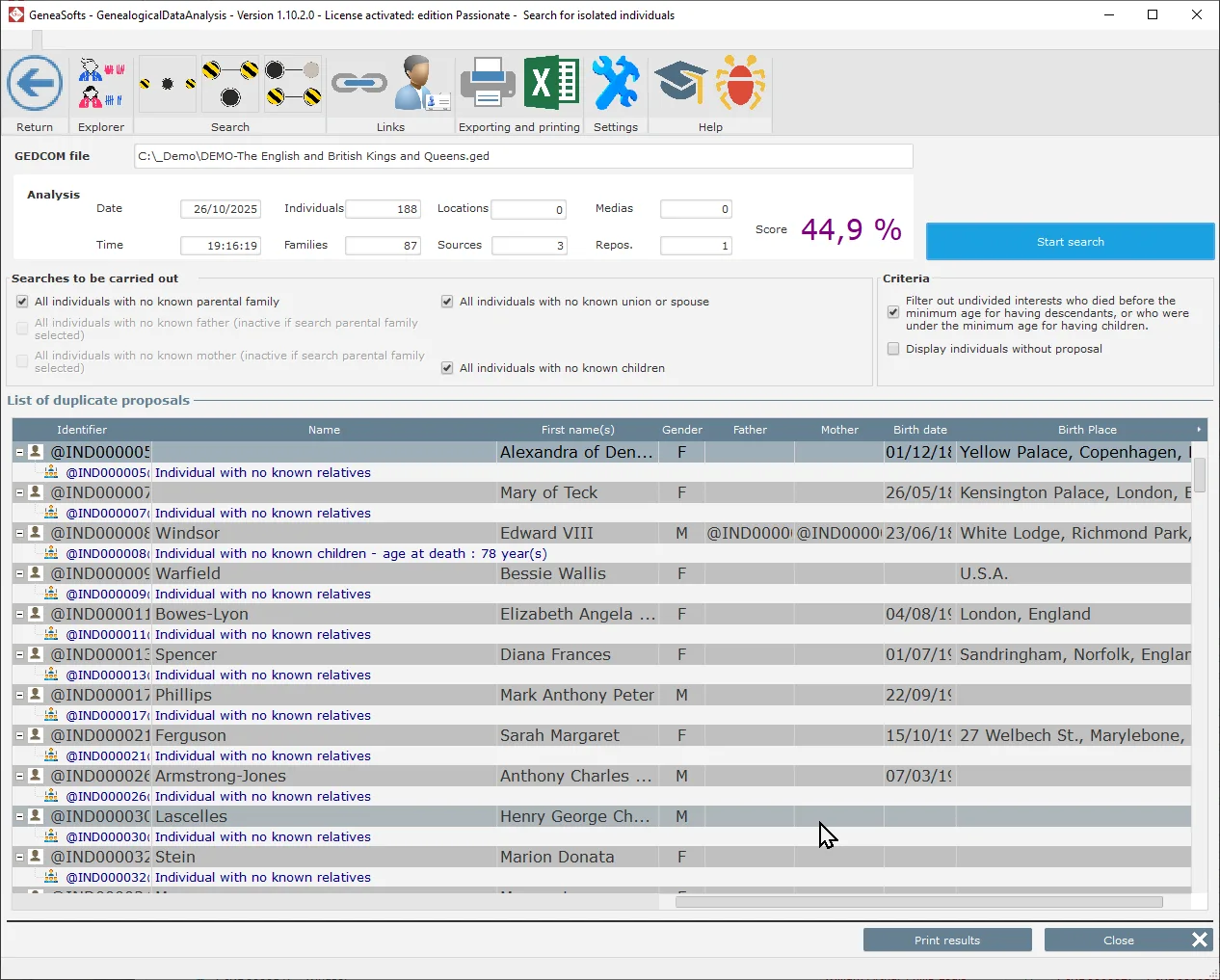
To display the search window for isolated individuals :
- Select an analysis in the analysis results window.
- You can then :
- use the [Search for isolated individuals] button,
- or right-click on the list and select the “Search for isolated individuals” option.
 .
.Select individual searches
The window displays the available searches.

The following searches are available:
- Individuals with no known parental family (union) or whose father (or mother) is unknown. If the search for unknown parental families is selected, searches for unknown fathers and mothers cannot be activated.
- People with no known union or spouse. This search cannot identify missing unions if the person has had several unions.
- People with no known descendants. This search cannot identify missing children if the person has had several children.
You can select one or more searches as you wish.
Modify criteria values

The window displays criteria that influence the results displayed:
- Results can be filtered by taking into account the minimum and maximum ages indicated for unions and having children. This ensures that a childless infant does not appear. Ages are calculated or estimated (if the date of death is not known). If the age cannot be estimated, the proposal is not filtered.
- Show individuals without proposal: this option displays individuals for whom none of the selected searches has identified a proposal. This option is disabled by default to reduce the amount of information displayed in the results.
These criteria can be modified.
Start search
Before starting the search :
- Select the most relevant searches.
- Select display criteria.
- Start the search with the [Start search] button.
View search results for single individuals
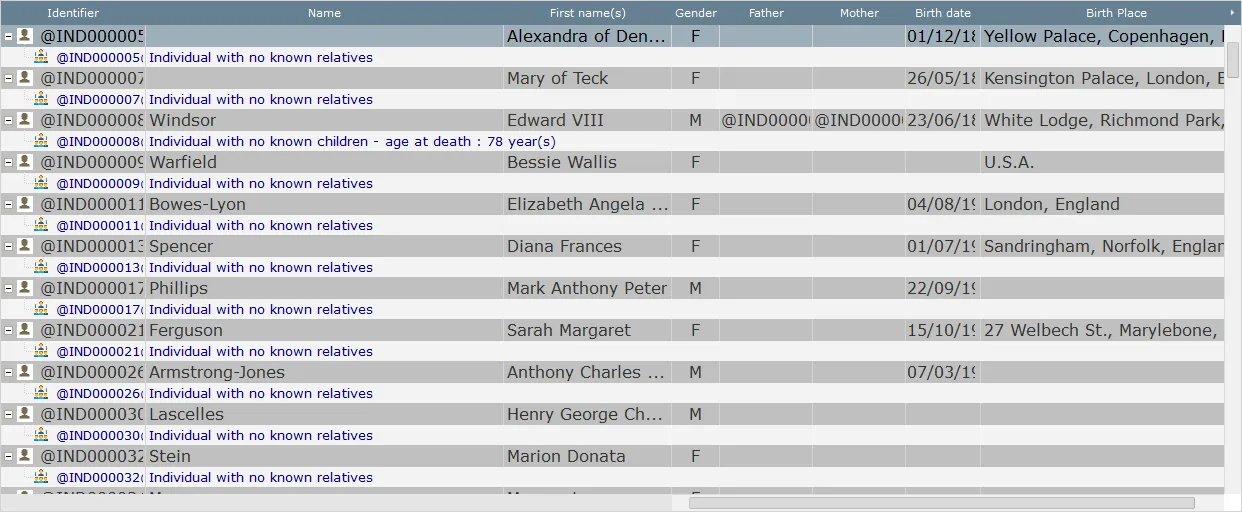
All proposals matching at least one of the selected searches are displayed in the window. They are grouped together for each person.
Print or export search results for isolated individuals
Once the search has been completed, you can print out the list or export it in Word or Excel format.
To do so, use the [Print results] button.